Setup and Use SMS Integration Add-on with One Way SMS
Setup and Use WPCargo SMS Integration Add-on with Twilio
Install and activate WPCargo SMS Add-ons.
Check the order confirmation email with the list of products purchased and download the WPCargo SMS Add-ons.
Login to your wp-admin.
Go to Dashboard > Plugins > Add New > Upload.
Select the downloaded plugin.
Install the plugin.
Activate the plugin.
Activate WPCargo SMS Add-ons license key.
To acquire your license key, please refer to the mode of payment you have used when product was purchased.
Purchased through PayPal – an email will be sent to the email you have provided on the order details including the license key of the product.
Purchased through Western Union – email the MTCN to info@wpcargo.com. When payment is received, an email will be sent with the order details including the license key of the product.
Copy WPCargo SMS Add-ons license key.
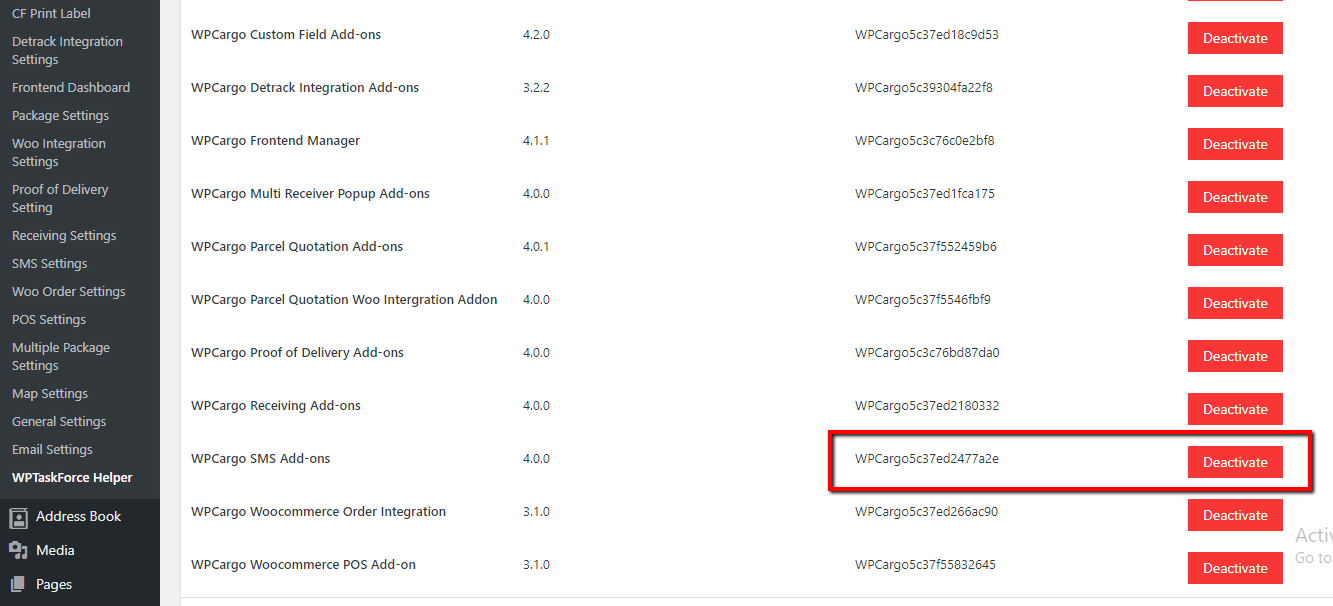
Go to Dashboard > WPCargo > WPTaskforce License Helper.
Paste license key to WPCargo SMS Add-ons field and click the Activate button.