- Setup your settings view.
- Setup your locations, zones, rates and etc. view
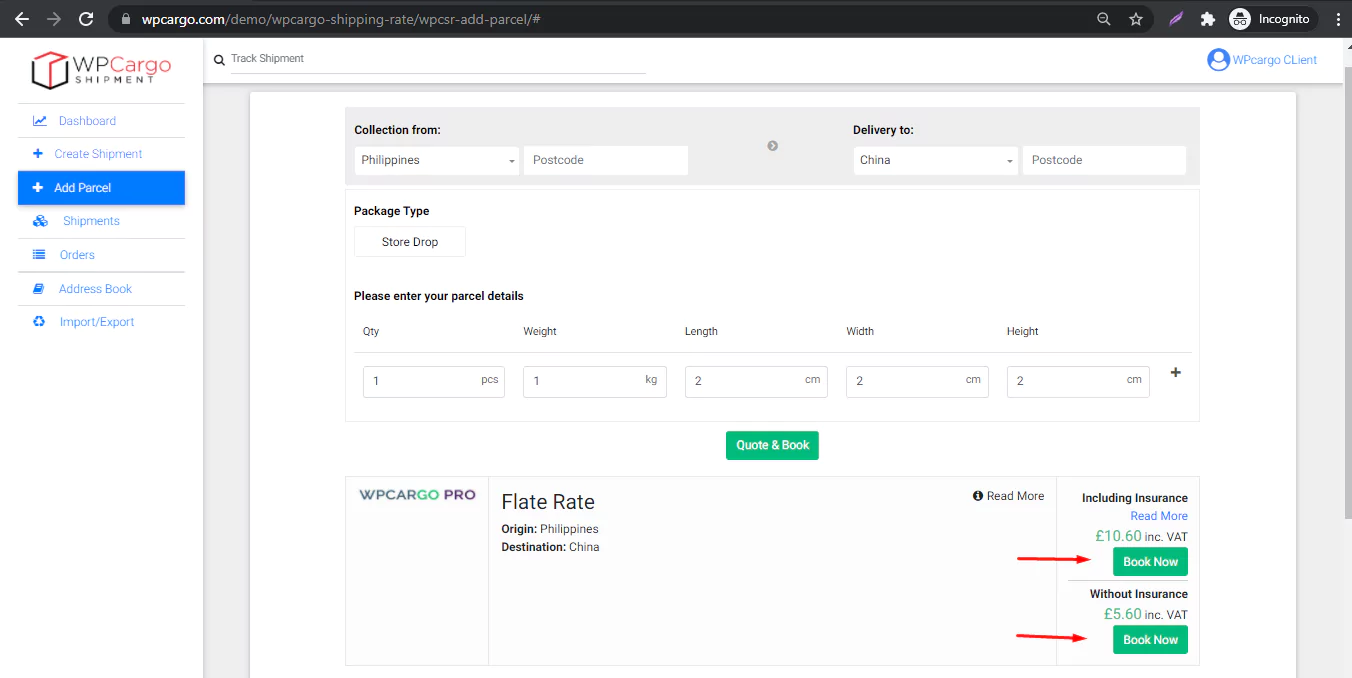
- Go to Frontend dashboard and click Add Parcel menu.
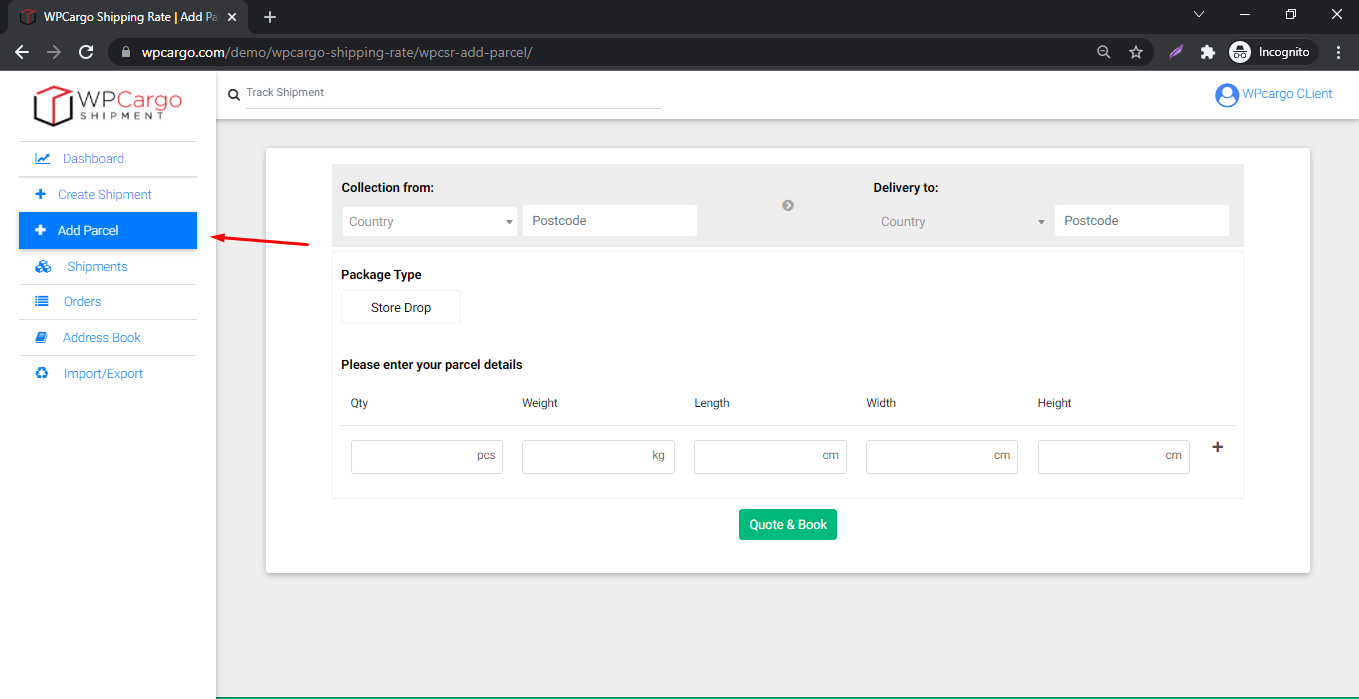
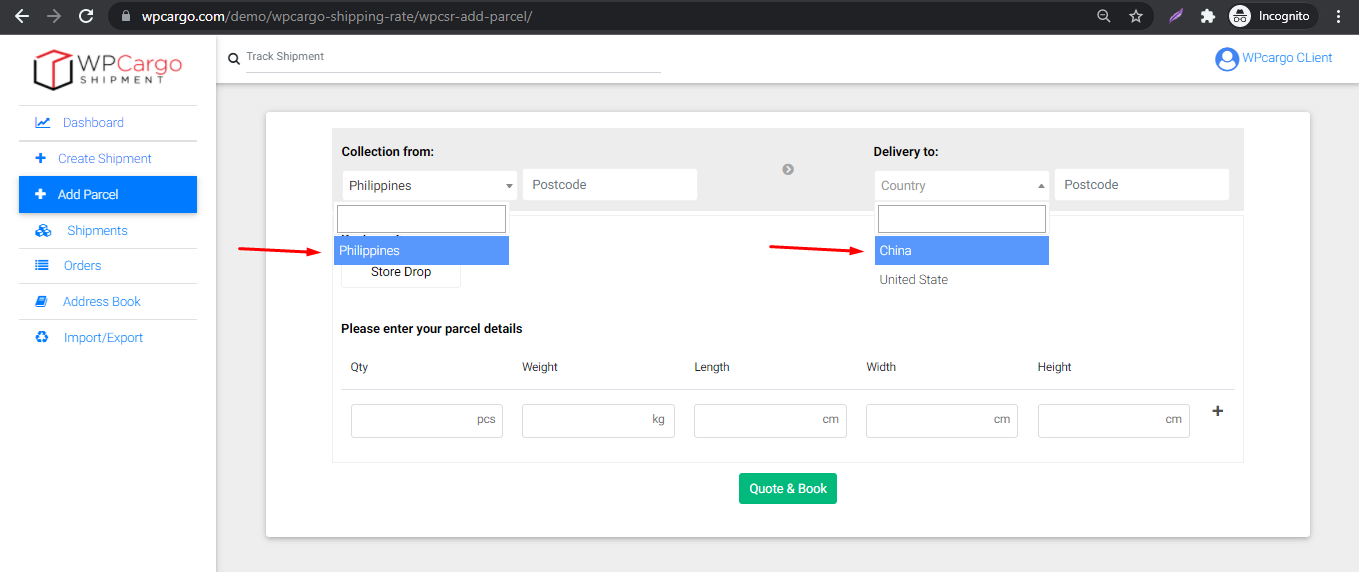
- Choose your Origin first and then the Destination.
Note Origin and Destination postcode is optional.
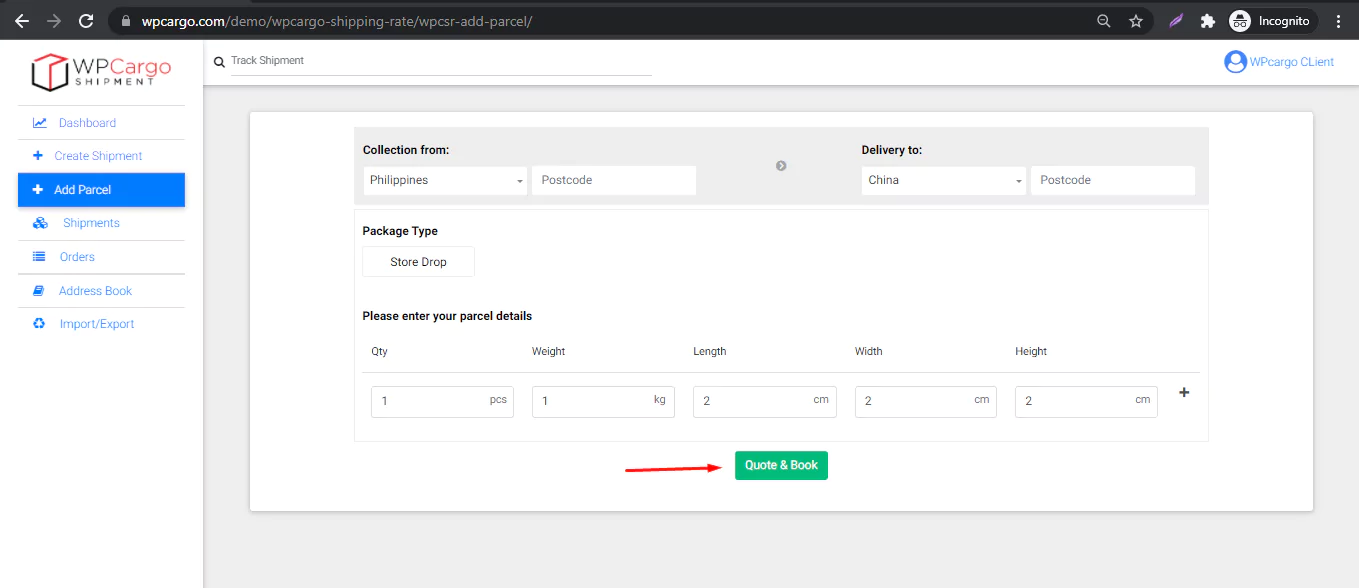
- Fill up the quantity, weight and dimensional weight and click Quote & Book button. If no results found try again another weight or try change the locations origin and destination.
- When results is found click the Book Now button.
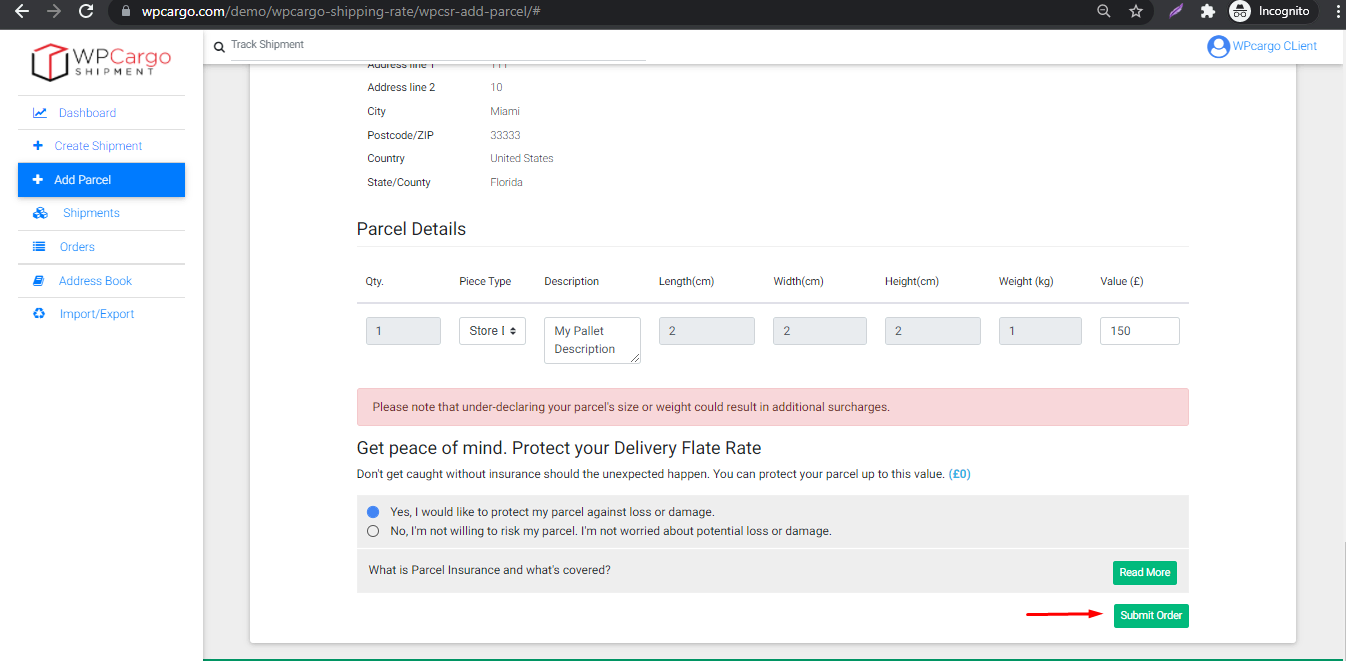
- Fill out the Shipper, Receiver and Shipment infomation. After fill out click the Submit Order button.
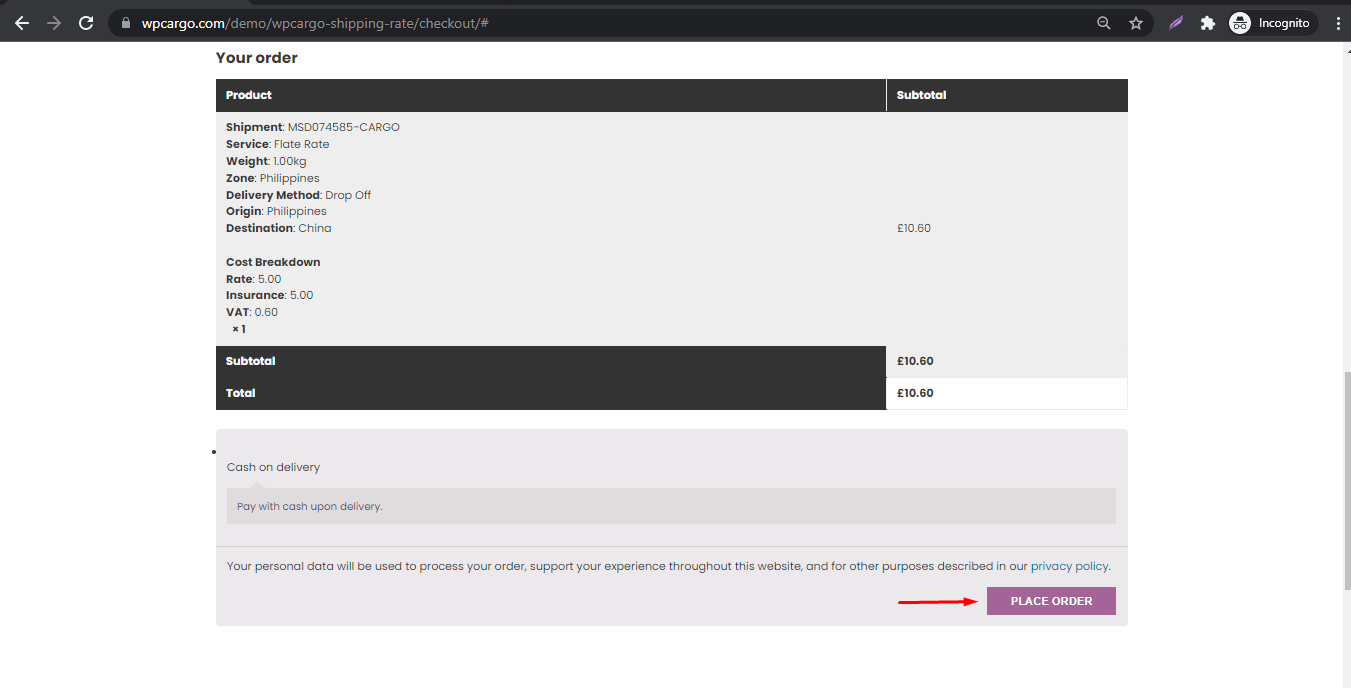
- After submits the order it will redirect to checkout. Fill out the fields and click the Place Order button.
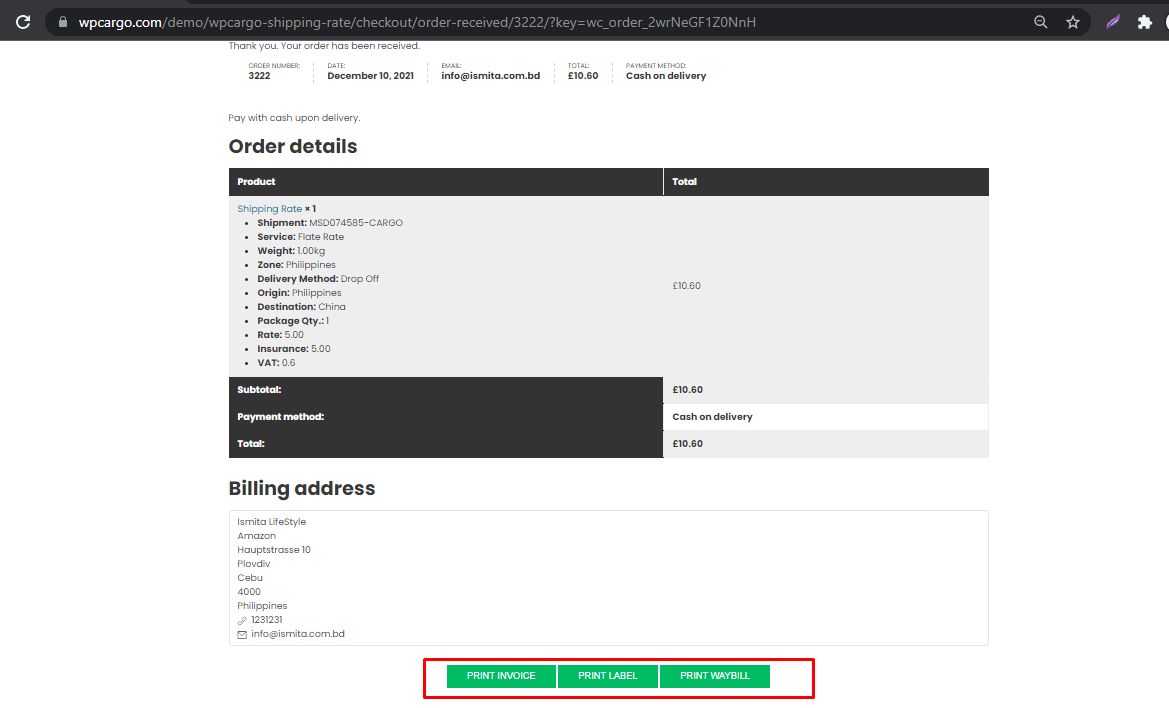
- After placing an order there are options for downloading pdf’s of Invoice, Label and Waybill
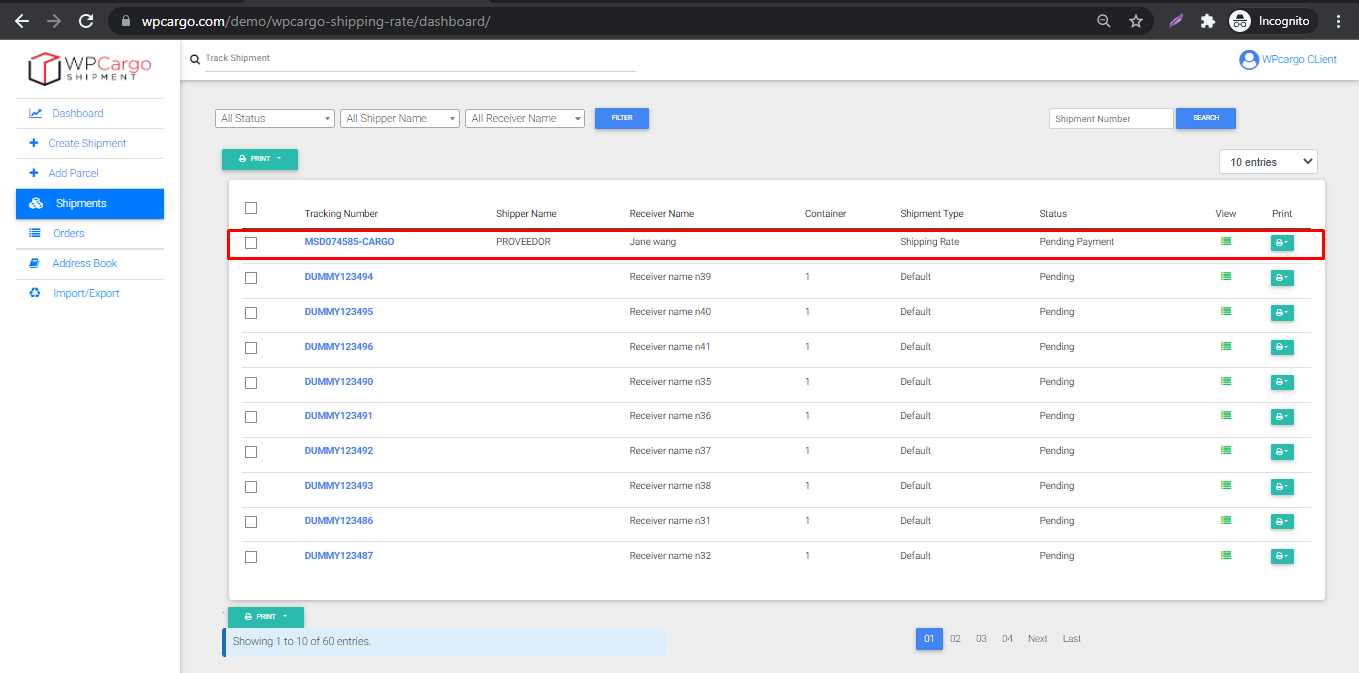
- Go back to Dashboard and you can see new shipment is added.