

WPCargo

wpcargo-logo-transparent-white
Menu
  • Download
    • Free Download
    • Purchase Addons
    • Purchase Mobile App
    • Purchase Logistics Theme
  • Demo
  • Services
    • Website Development
    • Data Entry Services
    • Customization Services
    • Logistics Mobile App
    • Balikbayan Box System Solution
  • Features
    • Integration
      • Google Map Integration
      • Real Time Notifications
      • Viber Notification
      • Africa’s Talking
      • SmsGateWay24
      • WEBSMS.GR
      • SMS GATEWAY HUB
      • BULK SMS
      • One Way SMS
      • BESTSMS.EU
      • Twilio
      • POB Talk
      • Baidu
      • Servify
    • Shipment
      • Shipment Management
      • Parcel Consolidation
      • Parcel Quotation
      • Shipment Tracking
      • Status Update
      • Shipment Labels
      • Proof of Delivery
      • Bulk Scanning
      • Import and Export
      • Branch Manager
    • Shipping Rate
  • Docs
  • Contact Us
  • My account

[kb_header_title]

How to Reset License Key

Home / Knowledgebase / How to Reset License Key
wpcargo-final-logo-transparent
Menu
  • Download
    • Free Download
    • Purchase Addons
    • Purchase Mobile App
    • Purchase Logistics Theme
  • Demo
  • Services
    • Website Development
    • Data Entry Services
    • Customization Services
    • Logistics Mobile App
    • Balikbayan Box System Solution
  • Features
    • Integration
      • Google Map Integration
      • Real Time Notifications
      • Viber Notification
      • Africa’s Talking
      • SmsGateWay24
      • WEBSMS.GR
      • SMS GATEWAY HUB
      • BULK SMS
      • One Way SMS
      • BESTSMS.EU
      • Twilio
      • POB Talk
      • Baidu
      • Servify
    • Shipment
      • Shipment Management
      • Parcel Consolidation
      • Parcel Quotation
      • Shipment Tracking
      • Status Update
      • Shipment Labels
      • Proof of Delivery
      • Bulk Scanning
      • Import and Export
      • Branch Manager
    • Shipping Rate
  • Docs
  • Contact Us
  • My account

How to Reset License Key

These guides cover:

  • How to Activate License Key
  • How to Enable the Auto Generate Tracking
  • How to Add Shipment Status in Free Version
  • How to Print Label & Invoice
  • How to update your date format WPCargo
  • Shortcodes included with WPCargo Track & Trace
  • Shipper Manager
  • Driver Accounts
  • How to set up WordPress in your language
  • Email Settings
  • How to Install and add License Key to the WPCargo Add ons
  • WPCargo Installation
  • How to Change Domain in License Key
  • How to Add More Custom Field and Customize Export Result
  • Branch Manager
  • How to Notify in Specific Shipment Status
  • Step by Step Installation of WPCargo and the Add-ons
  • How to Set-up WPCargo Pages
  • How to remove the Demo Notice
  • How to track a cargo/shipment?
  • Cashier
  • Requirements
  • How to check your PHP Version and IonCube Version


1. Go to your WPCargo website and login to your account.
2. From the dashboard, click My Subscription.
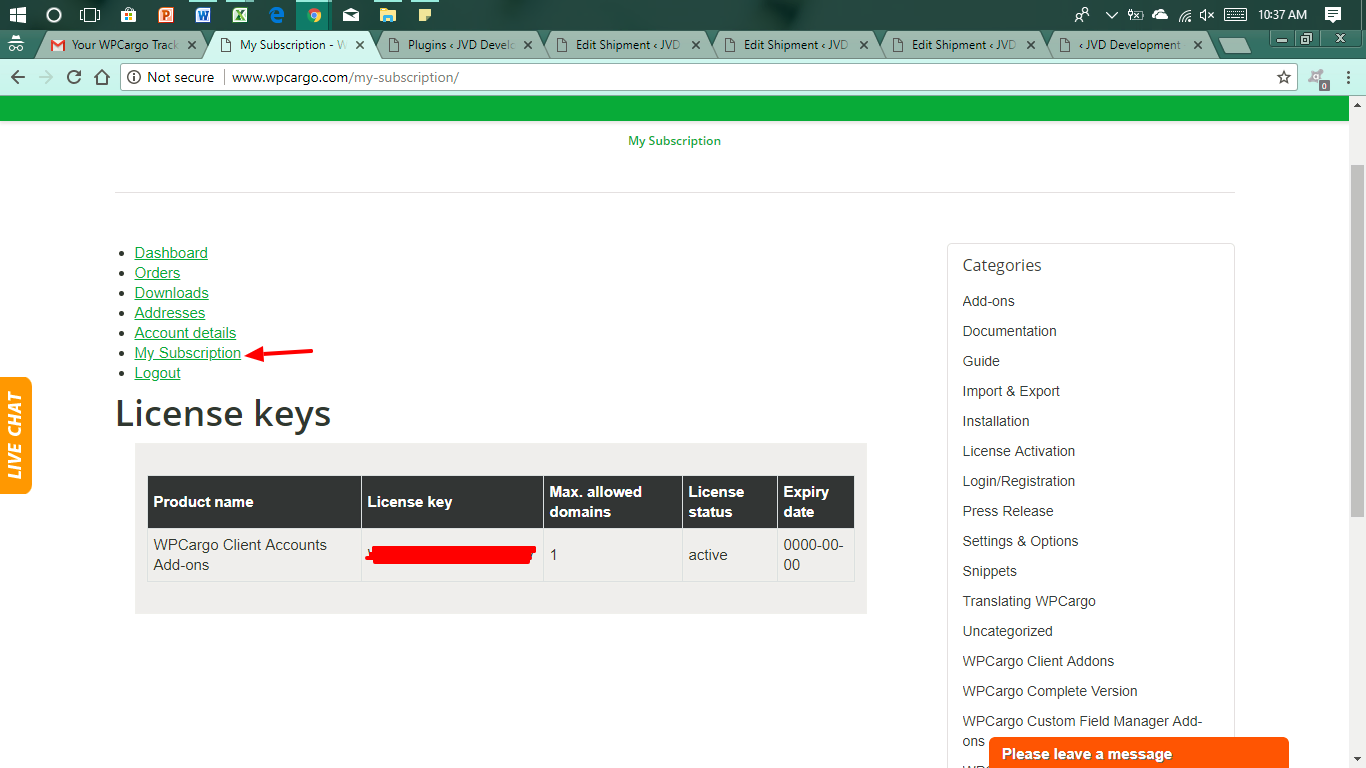
3. Copy the License Key from your email to activate.
4. Follow the process on how to activate the License Key – How to Activate License Key
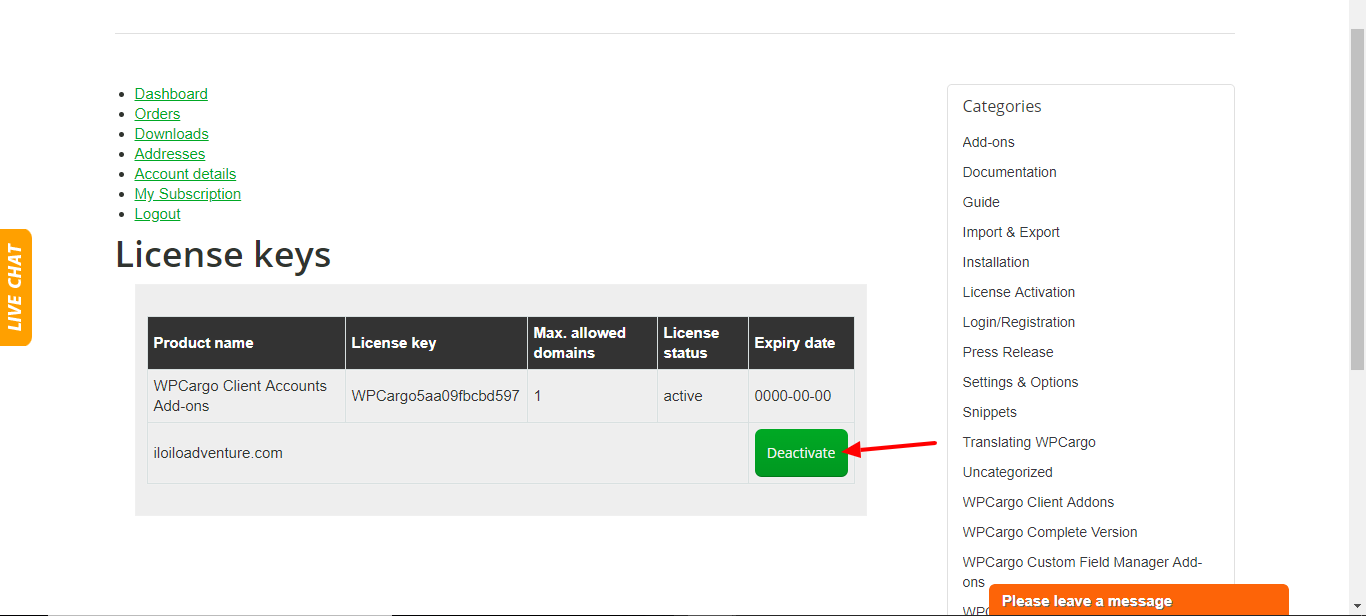
Note: If you want to reset your license key, log in to www.wpcargo.com using your WPCargo account. Click My Subscription > Deactivate.
QUICK LINKS

  • Home
  • Demo
  • Purchase
  • Payment Center

DOCUMENTATION

  • Customization
  • Screenshots
  • License Agreement
  • Documentation

CONTACT and SUPPORT

  • FAQ
  • Contact Us
  • Refunds Policy
  • Support and Update Policy - PHP 8.3

Customer Support Monday to Friday 8am - 5pm Manila Time

CONTACT INFO

Address: Ungka II Pavia Iloilo Philippines 5001

Teams: arni.cinco

Phone and Email: 639453980516 | arni.cinco@gmail.com

© 2026 - All Rights Reserved

Design by WPCargo Theme Pro and powered by WordPress