

“wpcfe_assign_form_content” is used to add assigned wpcargo user to the shipment. It is often used together with the “wpcfe_bulk_assign_form_content” and “after_wpcfe_save_shipment” hooks.
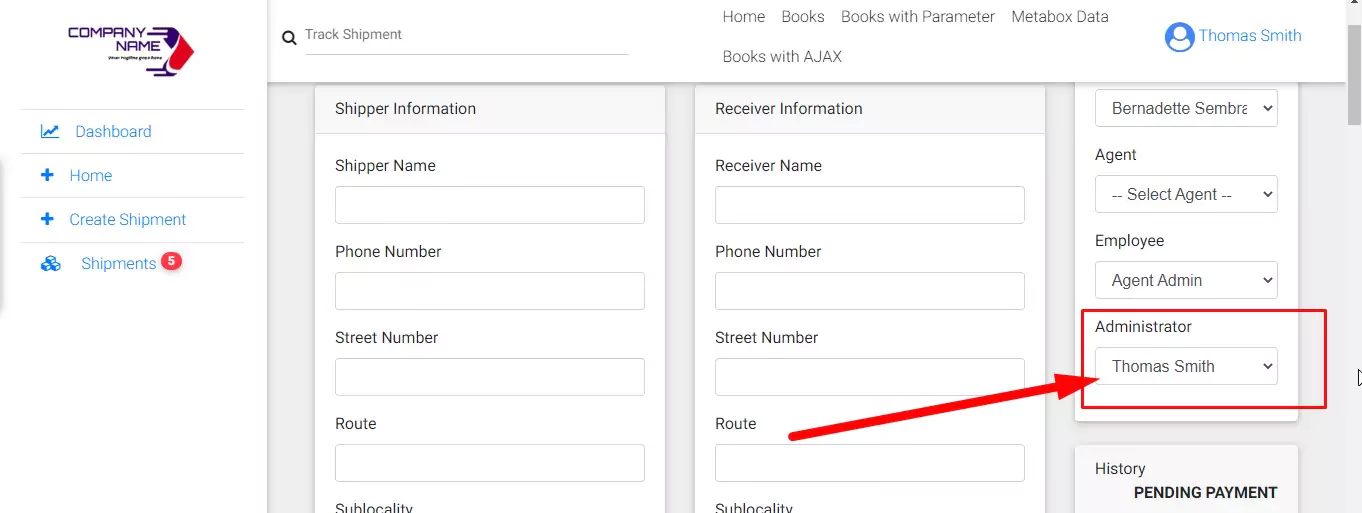
-
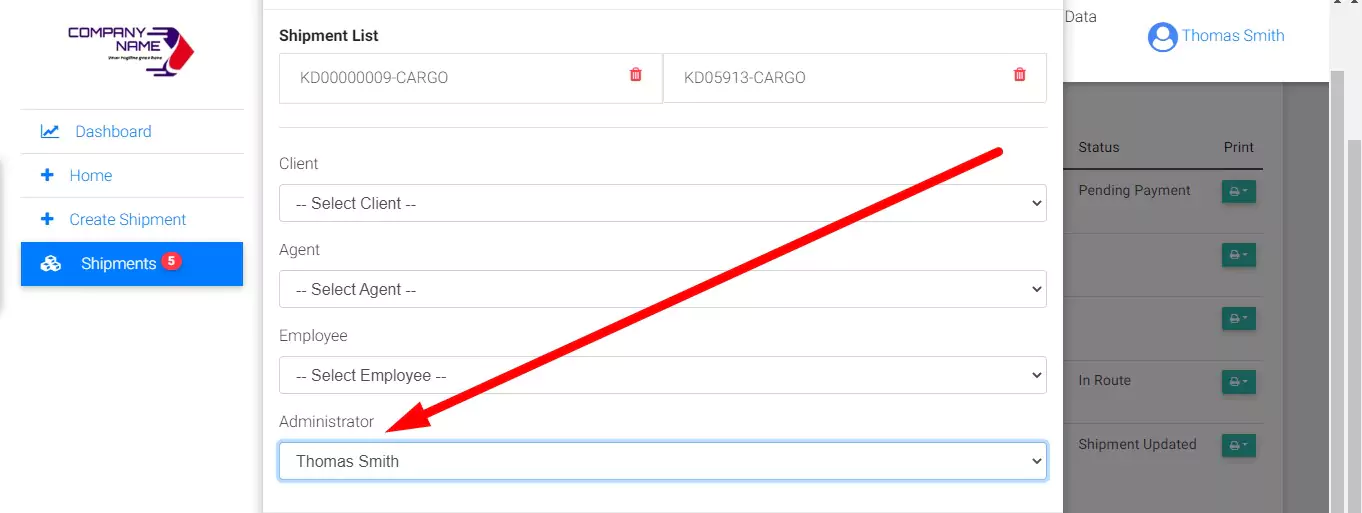
- “wpcfe_bulk_assign_form_content” is used to add option in the bulk assign shipment section
- “after_wpcfe_save_shipment” is used in saving the custom options.
Copy and paste the following codes in functions.php of your current theme.
function wpcfe_assign_admin_callback( $shipment_id ){
    $wpcargo_admin 	= wpcfe_get_users('administrator');
    if( can_wpcfe_assign_employee() ): ?>
        <div class="form-group">
            <div class="select-no-margin">
                <label><?php esc_html_e('Administrator','wpcargo-frontend-manager'); ?></label>
                <select name="wpcargo_admin" class="mdb-select mt-0 form-control browser-default" id="wpcargo_admin" >
                    <option value=""><?php esc_html_e('-- Select Admin --','wpcargo-frontend-manager'); ?></option>
                    <?php if( !empty( $wpcargo_admin ) ): ?>
                        <?php foreach( $wpcargo_admin as $empID => $empName ): ?>
                            <option value="<?php echo $empID; ?>" <?php selected( get_post_meta( $shipment_id, 'wpcargo_admin', TRUE ), $empID ); ?>><?php echo $empName; ?></option>
                        <?php endforeach; ?>
                    <?php endif; ?>
                </select>
            </div>
        </div>
    <?php endif;
}

add_action( 'wpcfe_assign_form_content', 'wpcfe_assign_admin_callback', 10, 1 );


//**Note: Use this hook only if you want to include the custom option in bulk assign feature
add_action( 'wpcfe_bulk_assign_form_content', 'wpcfe_assign_admin_callback', 10, 1 );

//to save the select data
function save_assigned_admin_callback($shipment_id, $data){
    if( isset($data['wpcargo_admin']) ){
        update_post_meta( $shipment_id, 'wpcargo_admin', $data['wpcargo_admin'] );
    }
}
add_action('after_wpcfe_save_shipment', 'save_assigned_admin_callback', 10, 2);