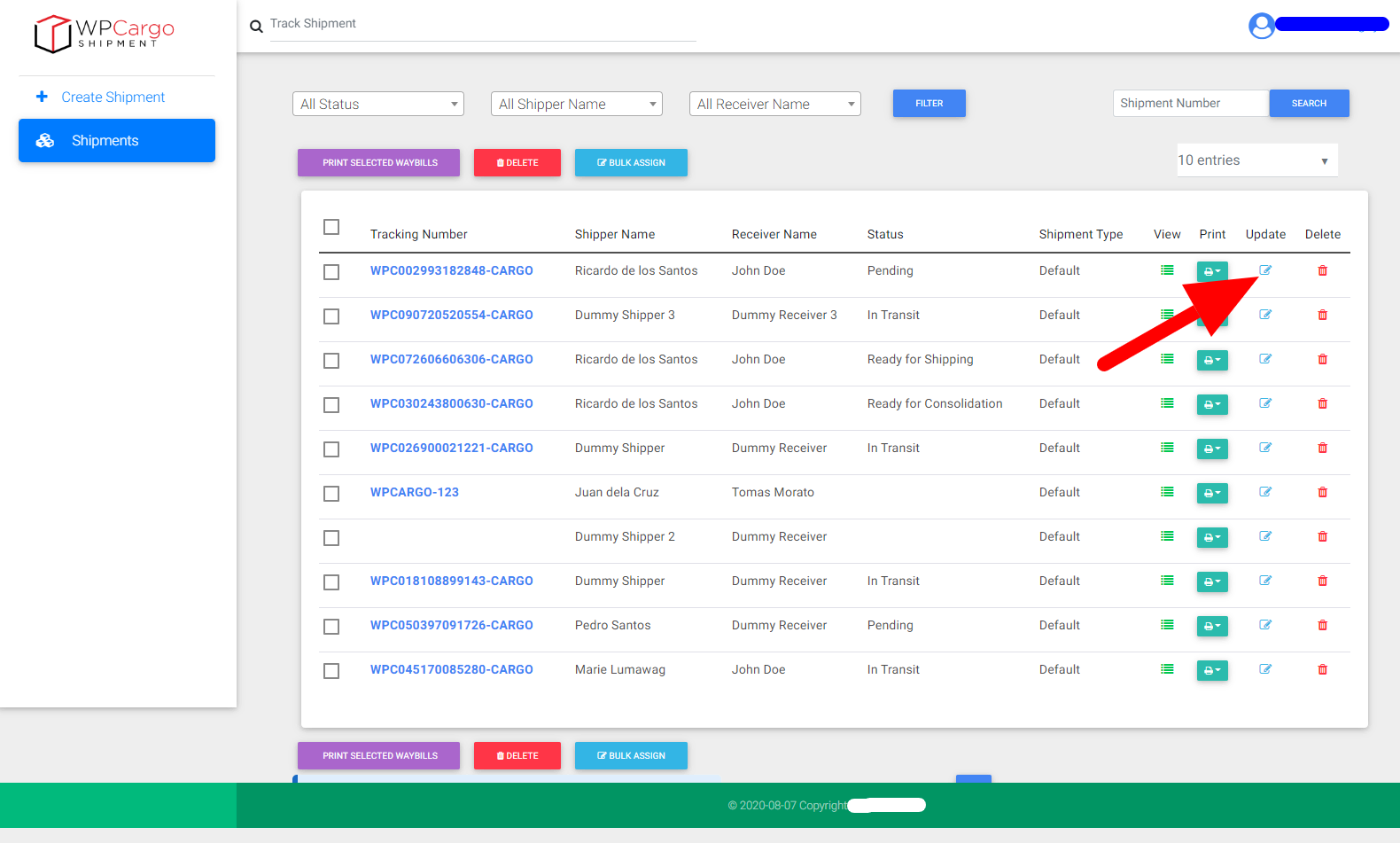
Click update icon aligned to the shipment number to be updated from the list of shipments.
Look for the field/s to be updated and do the changes
Fill in Current status section fields.
Time – default is current time. If “Enable User Timezone” setting is enabled, time will be based on the current time zone of the user updating the shipment.
Current City – this is an update where the shipment is located. If an API key is entered on Map Settings, autocomplete address will appear.
Select Status – status of the shipment. Status options is based on the status added on General Settings.