

Assuming that you have successfully archived a new bundle using X-Code, follow these steps below:
- Login to Apple Store here
- Register a new App ID here.
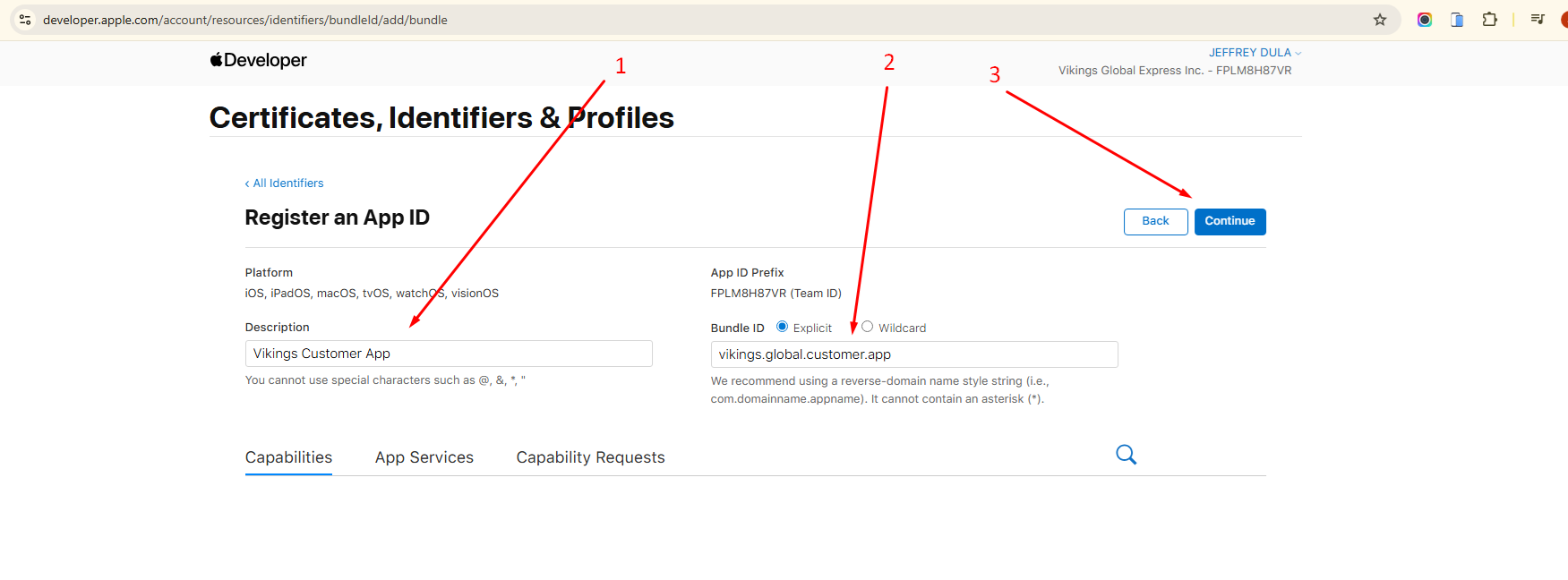
- Make sure that the App ID Prefix matches the Bundle Identifier when uploading the build via XCode.
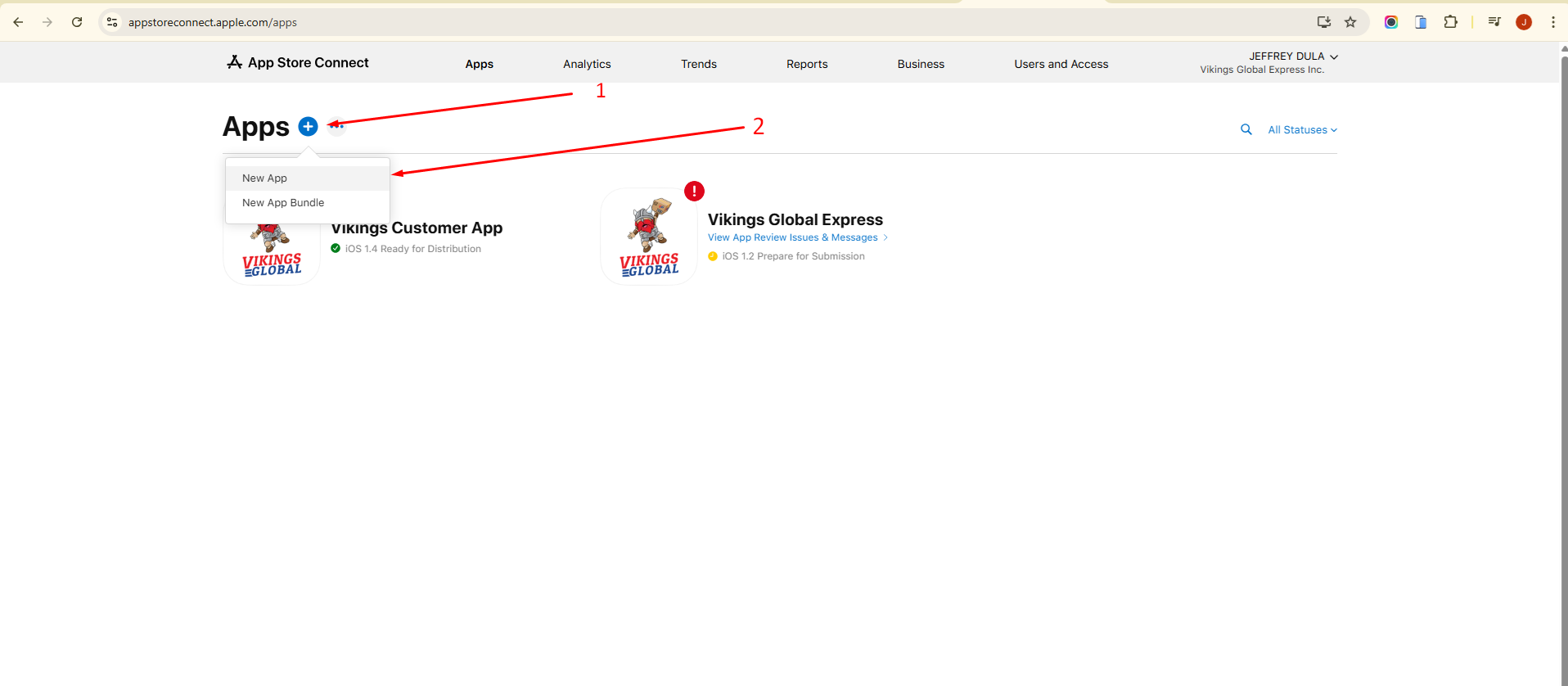
- Go to Apps section and create a new app
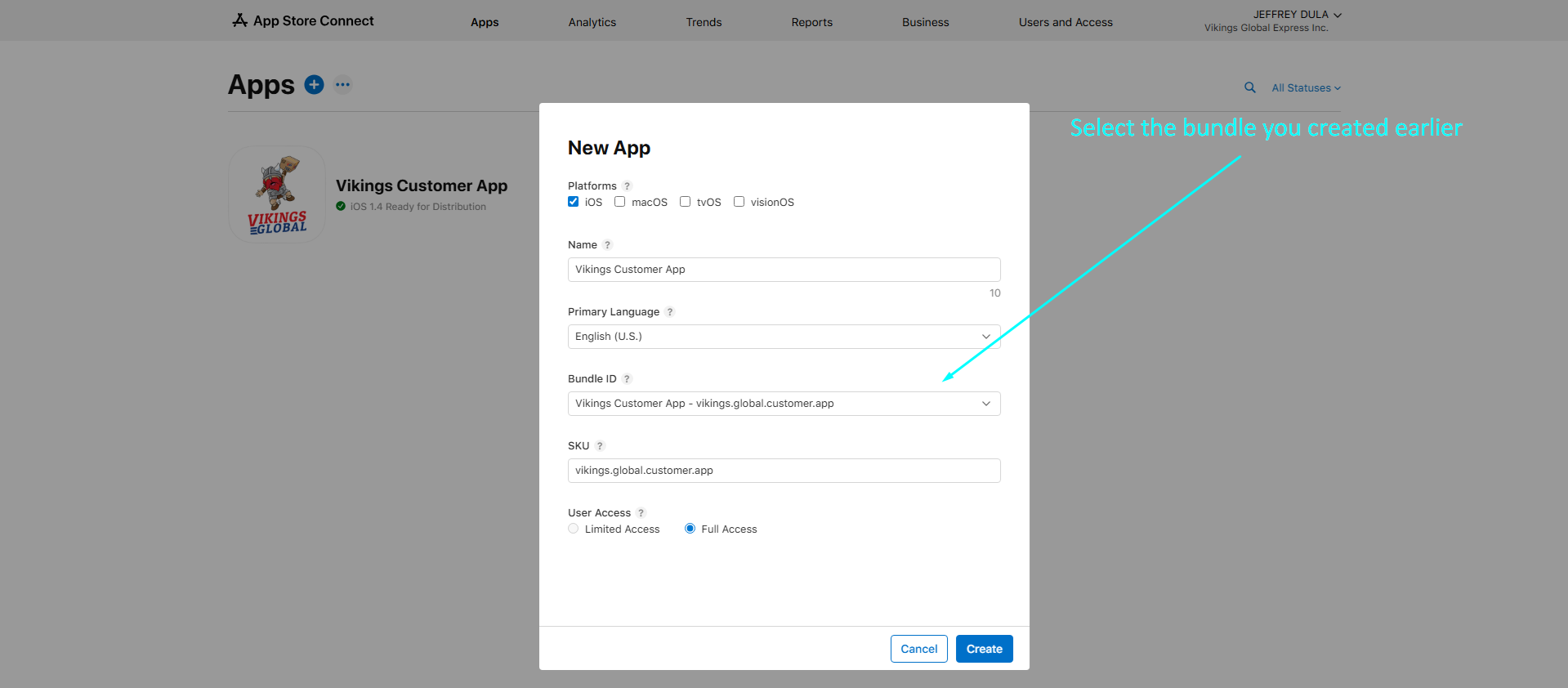
- After creating a new app, you will be redirected to the App’s distribution section. You will be filling out details based on the app’s features and functionality. Below is the list of required fields to fill out.
5.1. Upload Screenshots
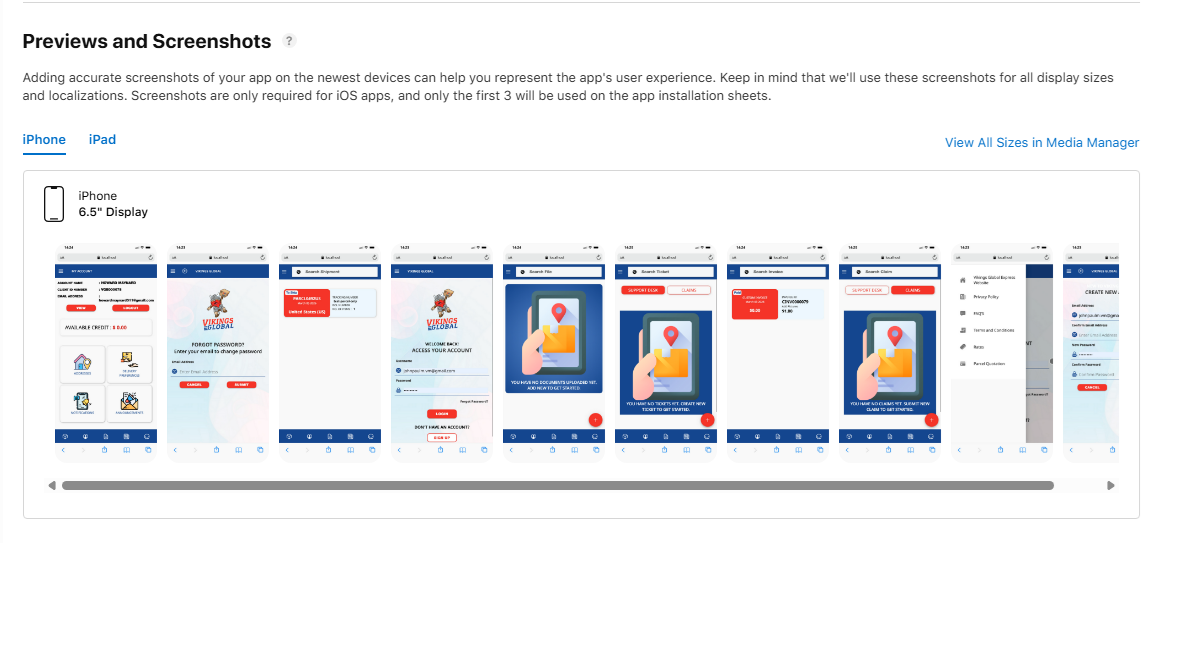
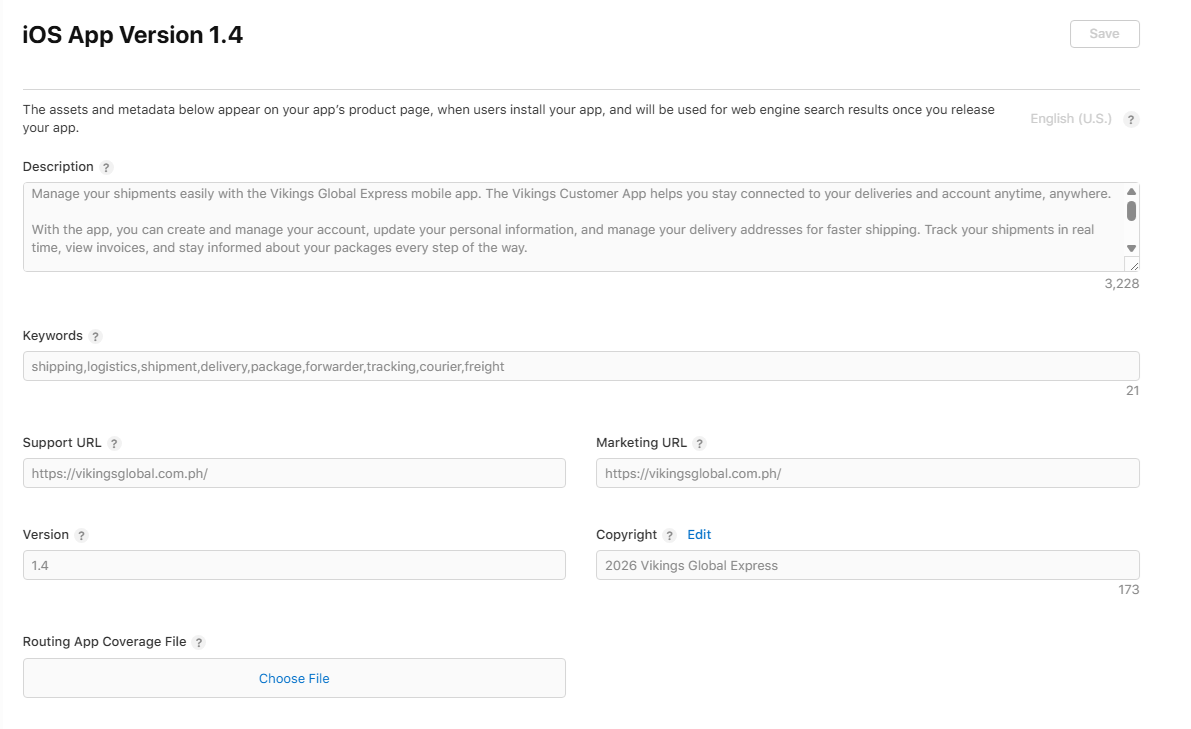
5.2. Set the Description, Keywords, Support & Marketing URL, Version, and Copyright
5.3. Upload the build. This will be done using XCode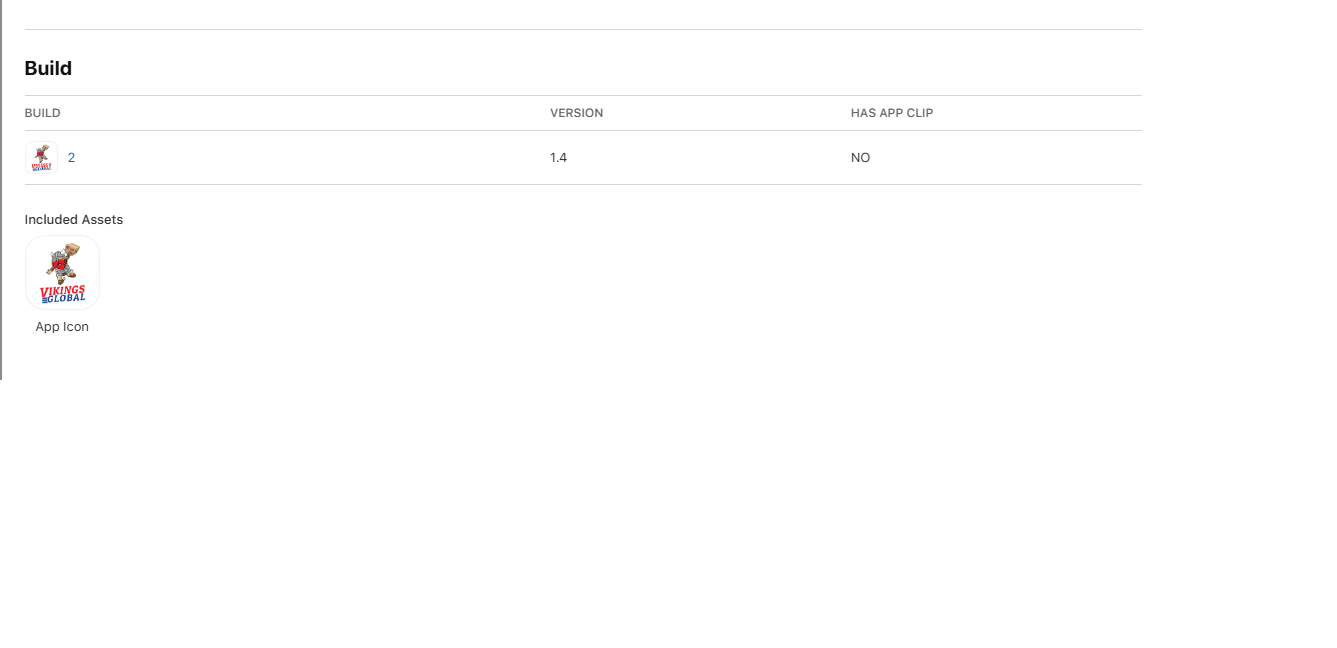
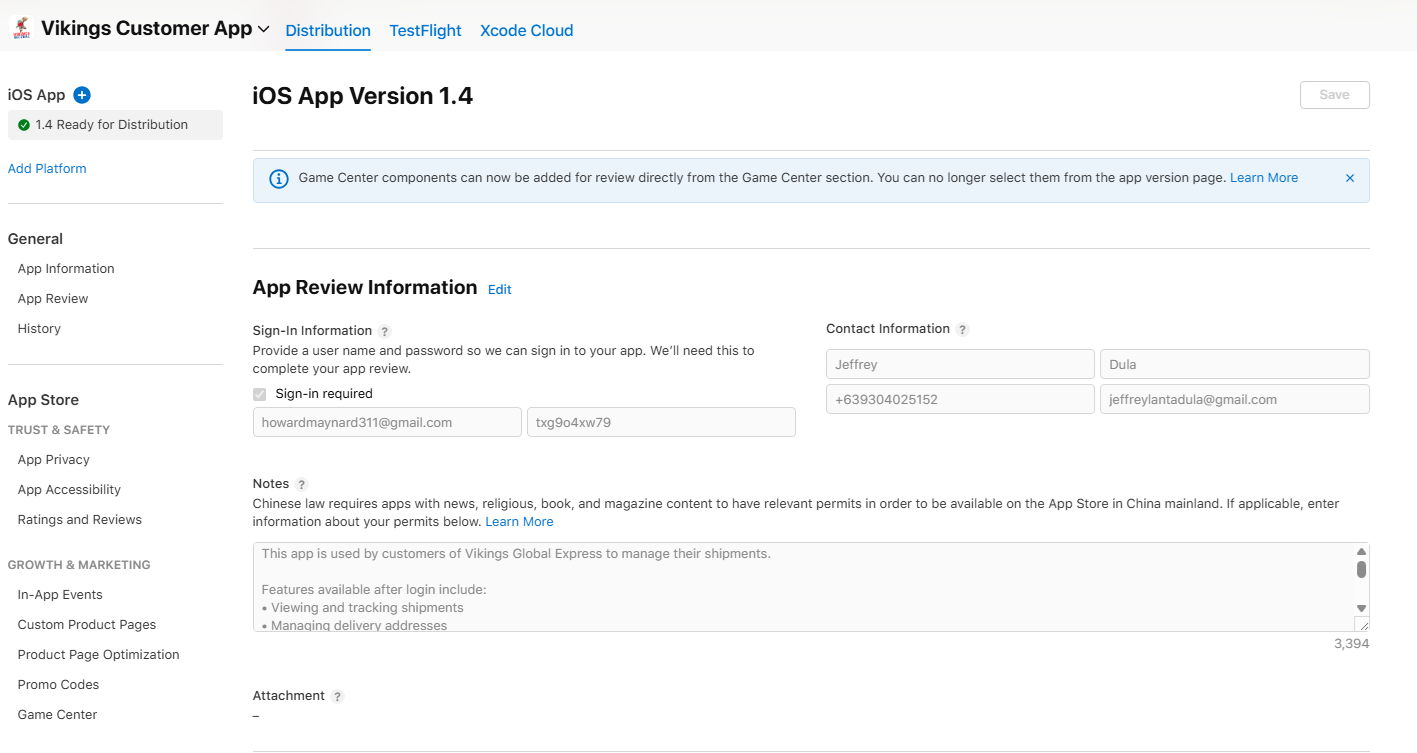
5.4. On the App Review Information section, provide a test login credentials for your app. Apple Review Team will use it to check your app’s features.
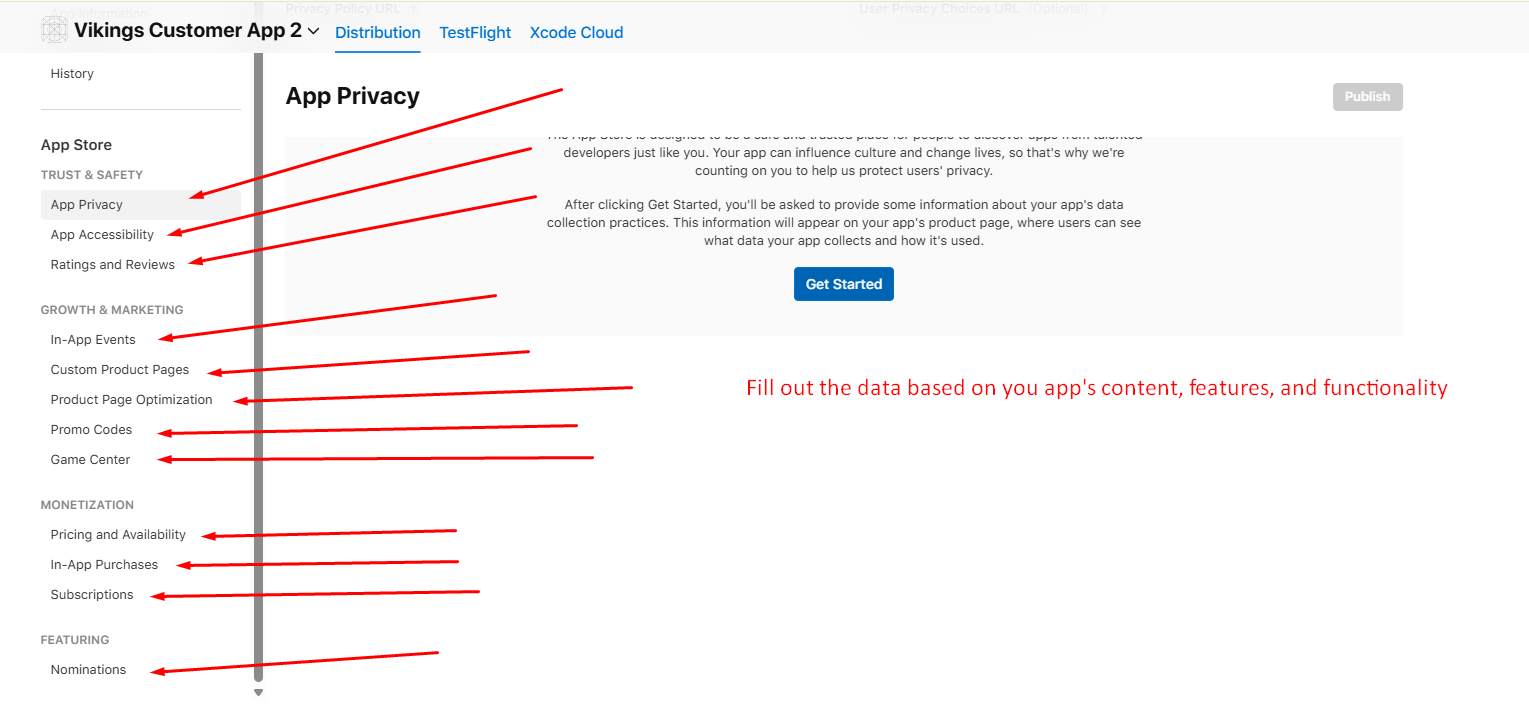
- After providing the required data of the general app information, answer each of the items under App Store category.
- Once finished, save everything and publish for review. Apple Review Team will notify you via email if there are issues related to the app submission.