- Sign in to your Meta Business Suite account.
- Locate your business account in the top-left dropdown menu and click its Settings (gear) icon.
- Click Business settings.
- Navigate to Users > System users.
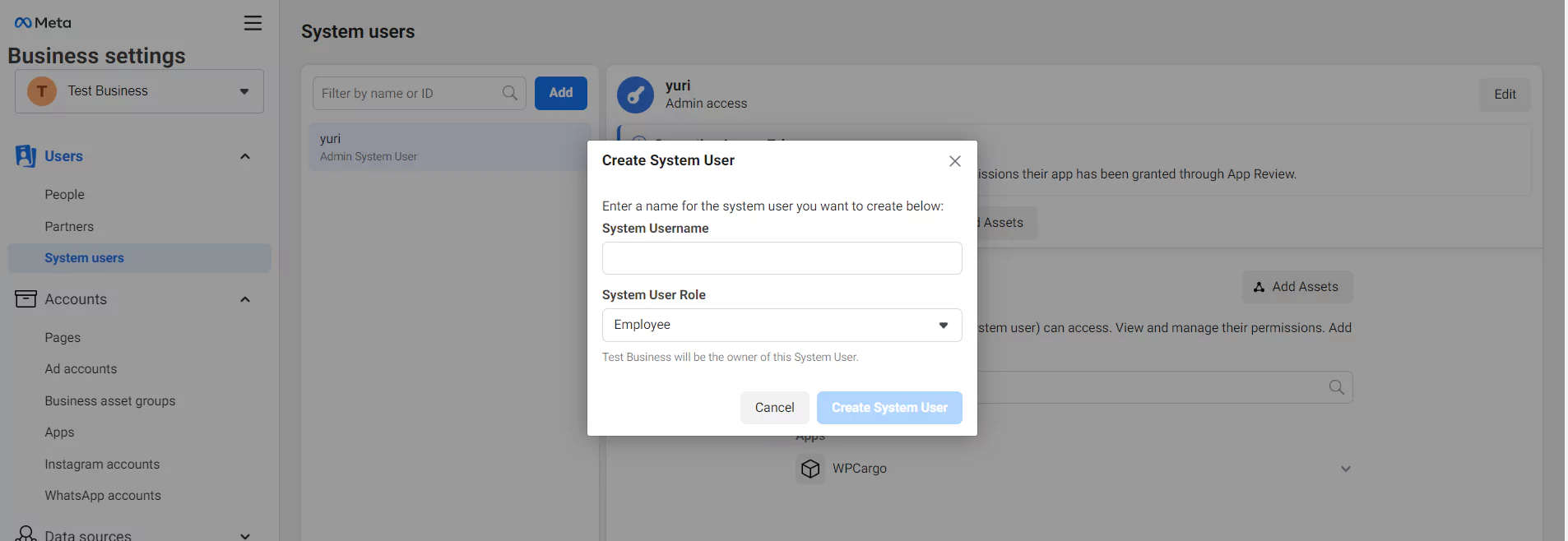
- Click the Add button and create either an Admin or Employee system user.
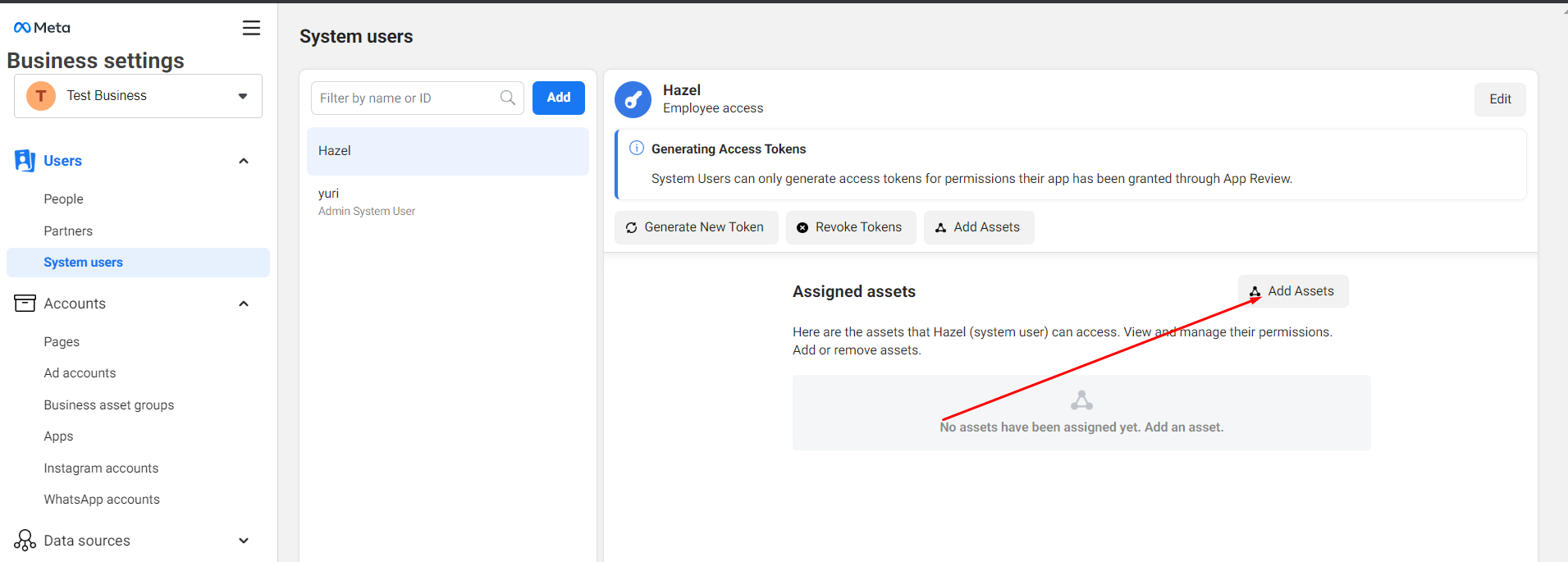
- Add assets to the system user.
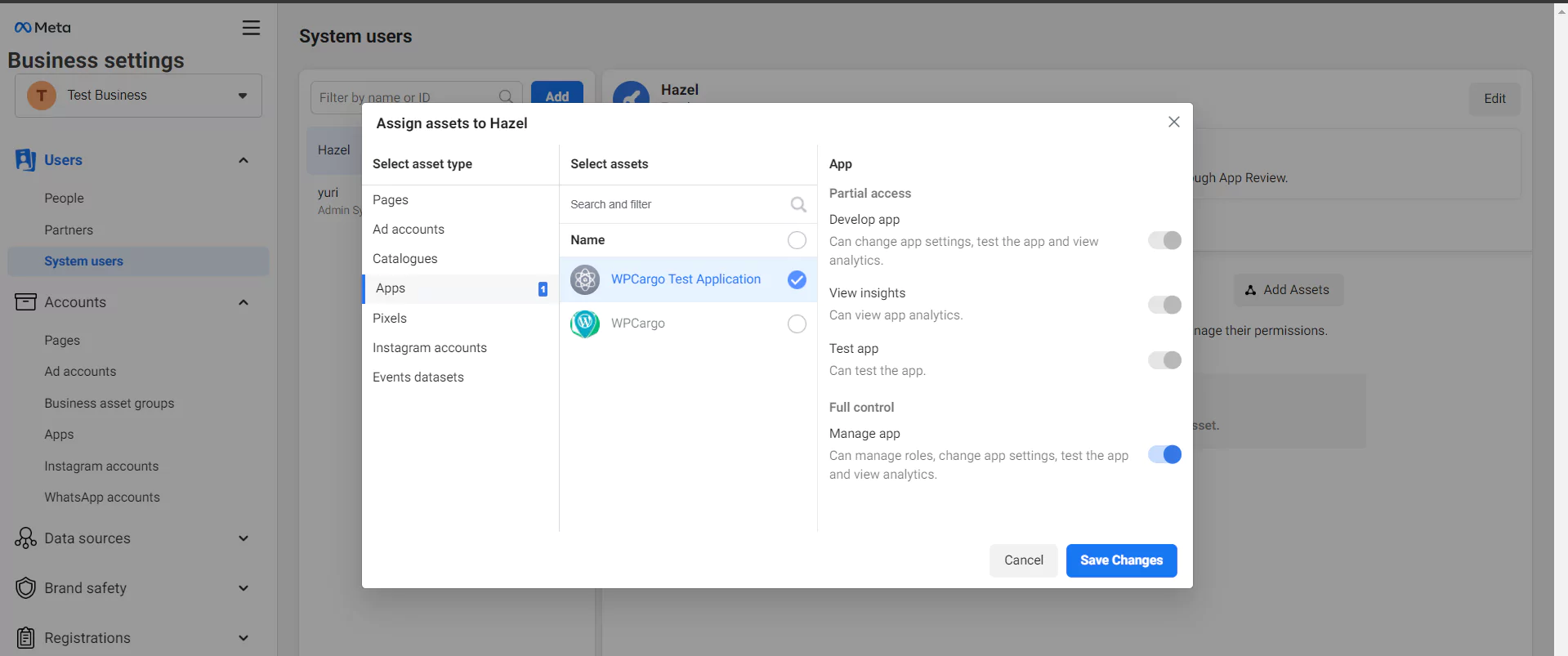
- Select Apps from the list of assets and click your application name. Activate full control and save changes.
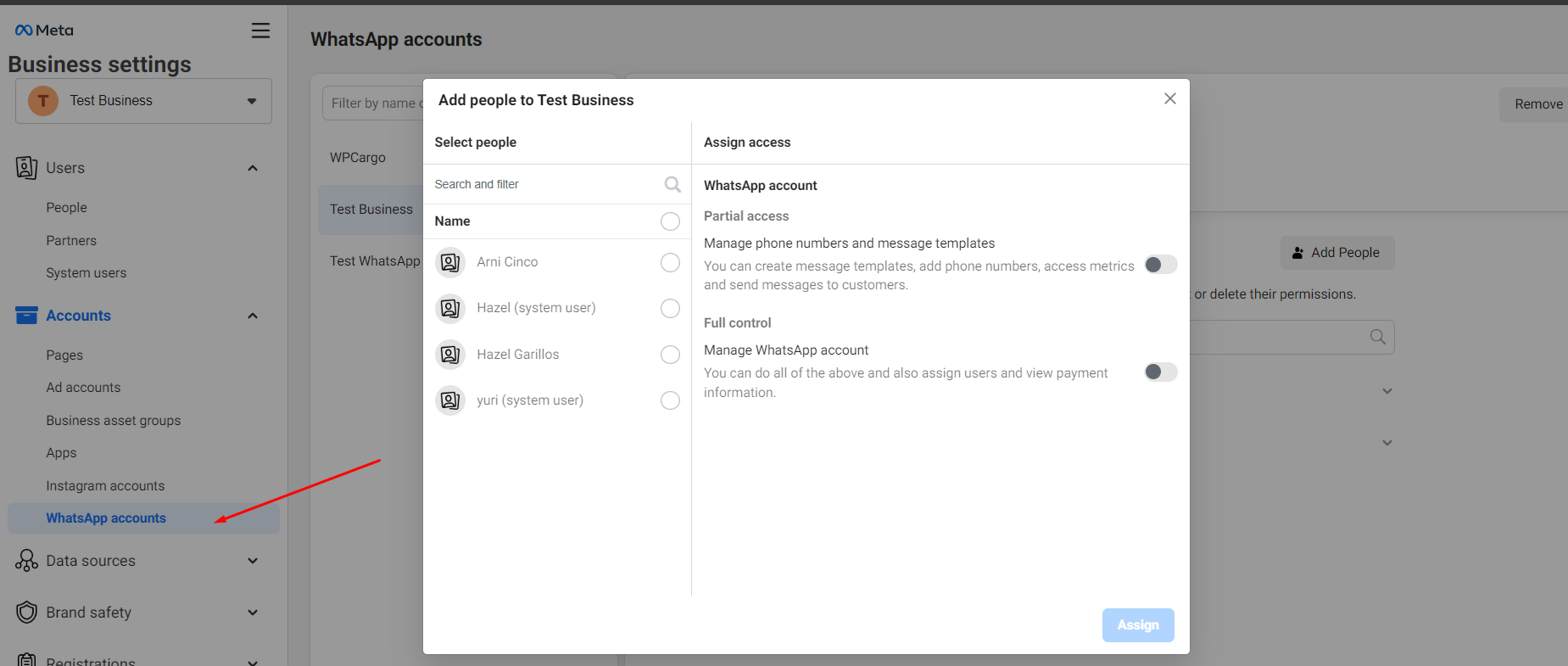
- Navigate to Whatsapp Accounts and add people. Select the user you have created in system users. Enable Full control and assign.
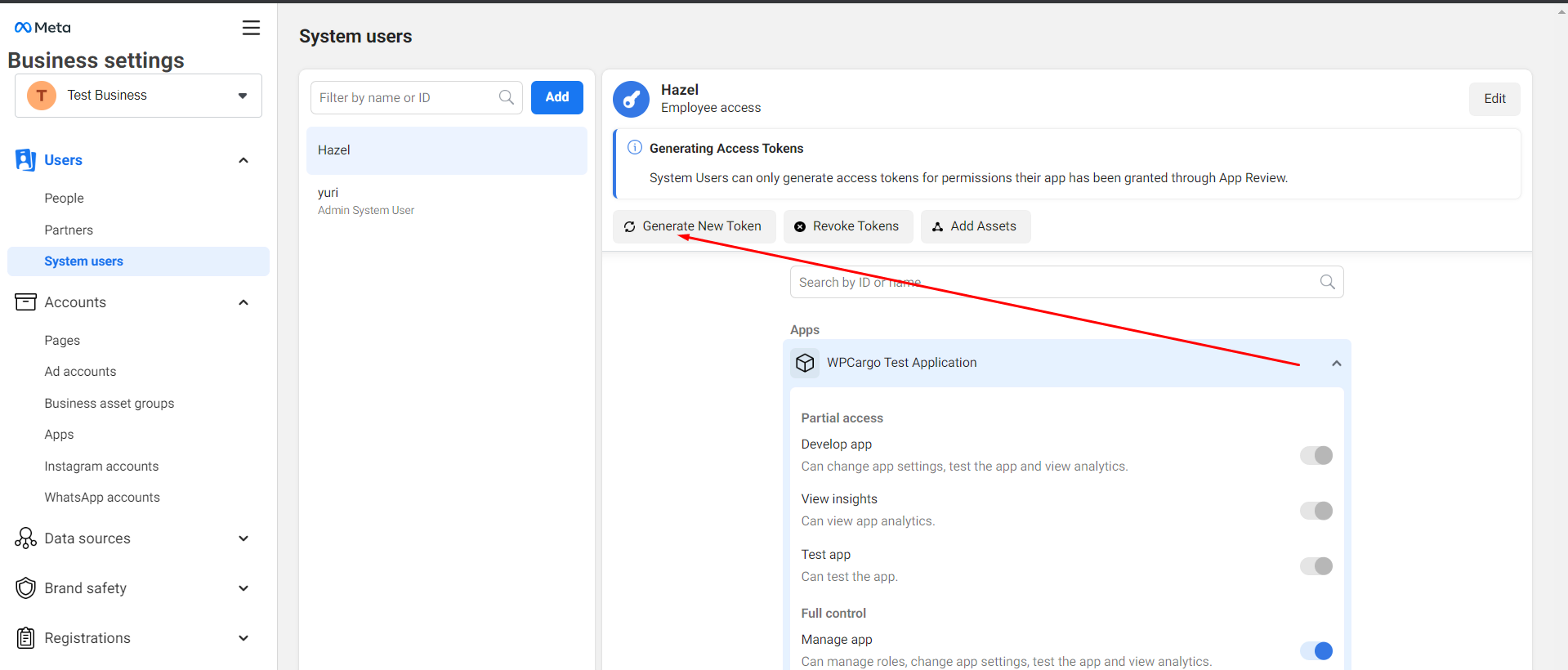
- Go back to system users and click Generate token.
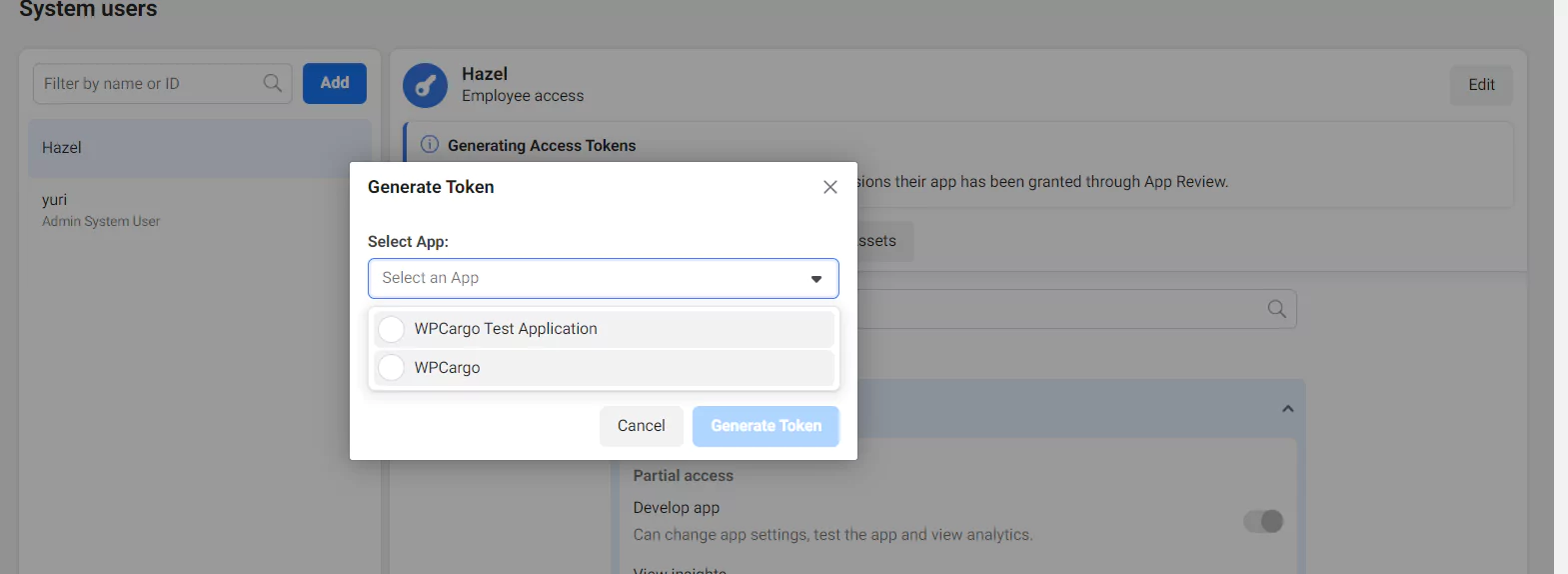
- Select your application name.
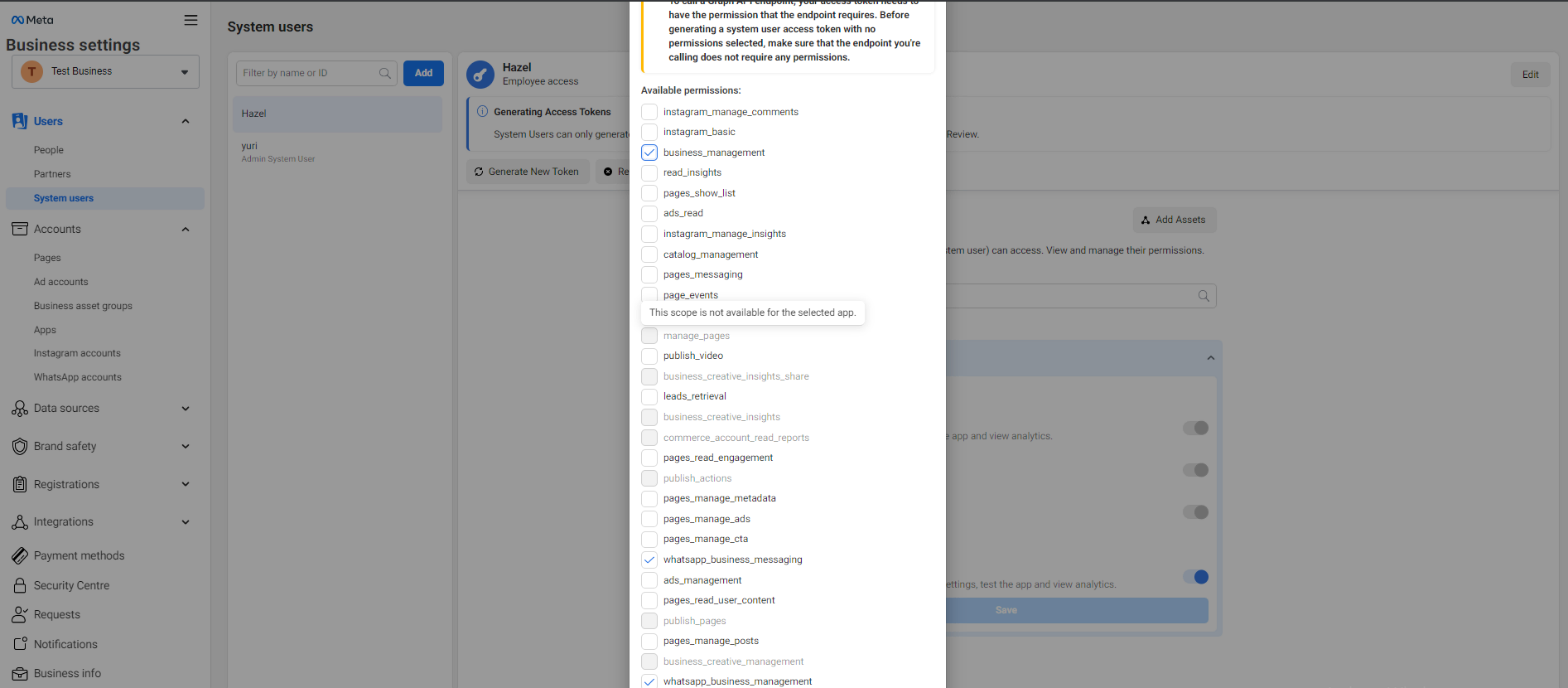
- Enable the following permissions for the user:
a. business_management
b. whatsapp_business_messaging
c. whatsapp_business_management