

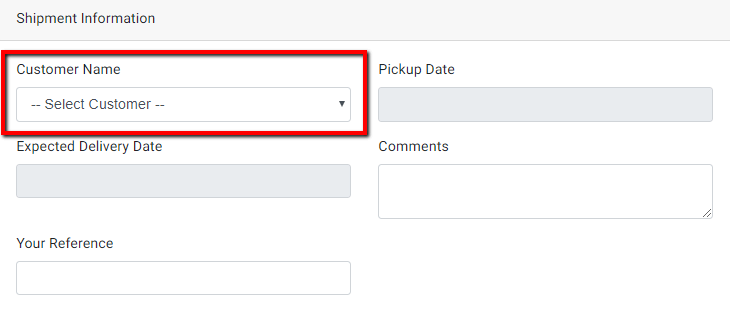
Copy and paste following codes on your child theme’s functions.php file. Below example adds a select field with the list of clients under shipment information section.
Adding field
add_action( 'before_wpcfe_shipment_info_form_fields', 'pcl_shipment_info_additional_field' );
function pcl_shipment_info_additional_field( $shipment_id ){
	if( !$shipment_id ){
		$shipment_id = 0;
	}
	$customer = get_post_meta( $shipment_id, 'customer_fields', true );
	?>
	<div id="form-client-list" class="form-group col-md-6">
		<label for="customer_fields"><?php _e('Customer Name','wpcargo-frontend-manager'); ?></label>
		<select name="customer_fields" class="mdb-select mt-0 form-control browser-default" id="customer_fields" required="">
			<option value=""><?php _e('-- Select Customer --','wpcargo-frontend-manager'); ?></option>
			<?php if( !empty( wpcfe_get_clients() ) ): ?>
				<?php foreach( wpcfe_get_clients() as $key => $value ): ?>
					<option value="<?php echo $key; ?>" <?php selected( $customer, $key ); ?>><?php echo $value; ?></option>
				<?php endforeach; ?>
			<?php  endif; ?>
		</select>
	</div>
	<?php
}
Save custom field
add_action( 'after_wpcfe_save_shipment', 'pcl_shipment_info_additional_field_save', 10, 2 );
function pcl_shipment_info_additional_field_save( $shipment_id, $data ){
    if( isset( $data['customer_fields'] ) && (int)$data['customer_fields'] ){
        update_post_meta( $shipment_id, 'customer_fields', (int)$data['customer_fields'] );
    }
}