


Description
The WPCargo Landstar Integration is a WordPress plugin empowers businesses to effortlessly manage shipping processes directly within their WordPress websites. By integrating with the Landstar API, this plugin provides shipping details, tracking, and order management.
How to add Landstar Integration Shortocode:
- Create a new page Landstar Integration. ( You can use your own page name )
- Set the page template to wpcargo dashboard. You can scroll down to Page attributes and select WPCargo Dashboard
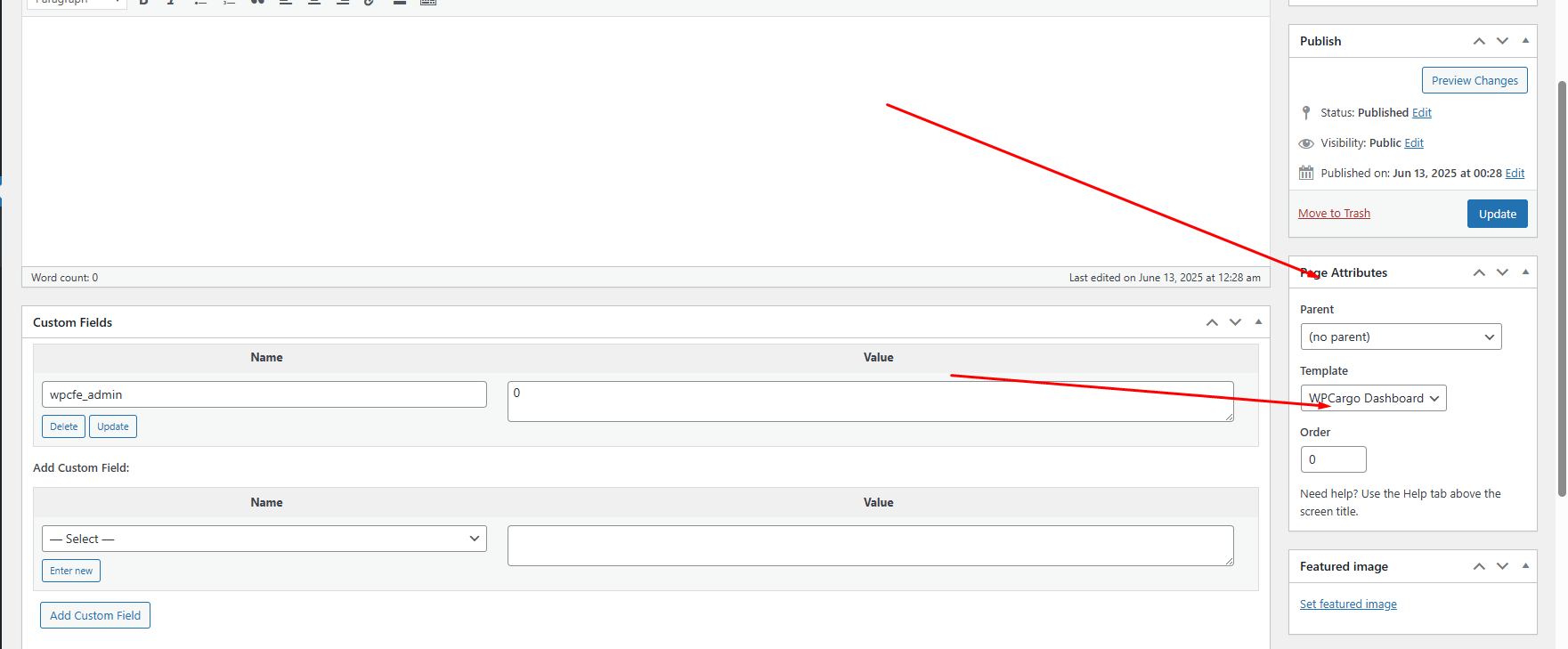
- Save.
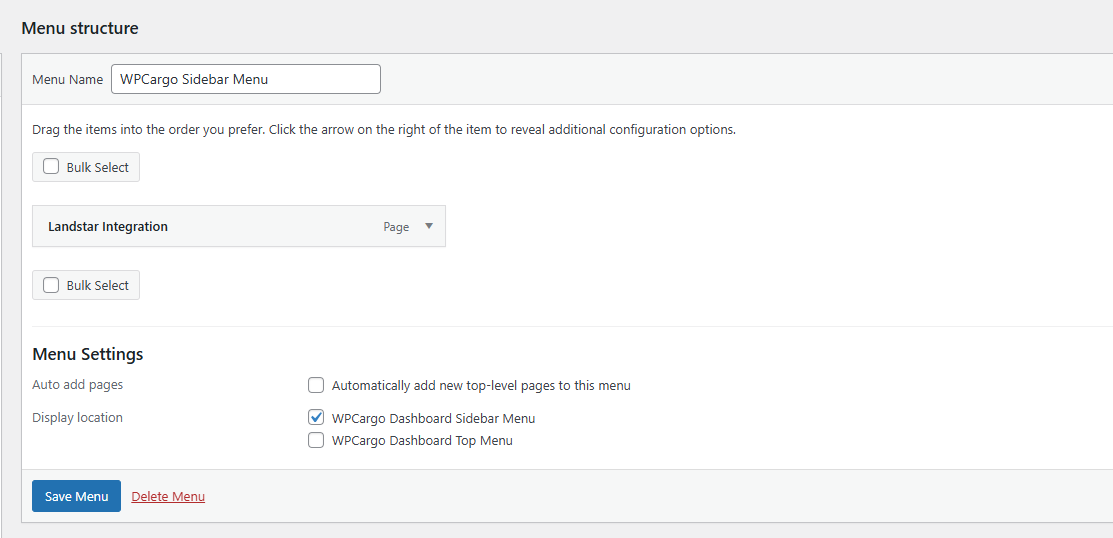
- Then go Appearrance > Menu.
- Create New Menu and name it WPCargo Sidebar. ( If you have existing WpCargo Sidebar Menu or WPCargo Header Menu, you can use that one )
- Add the Landstar Integration page you have created and set it as WPCargo Sidebar Menu or WPCargo Dashboard Header Menu.
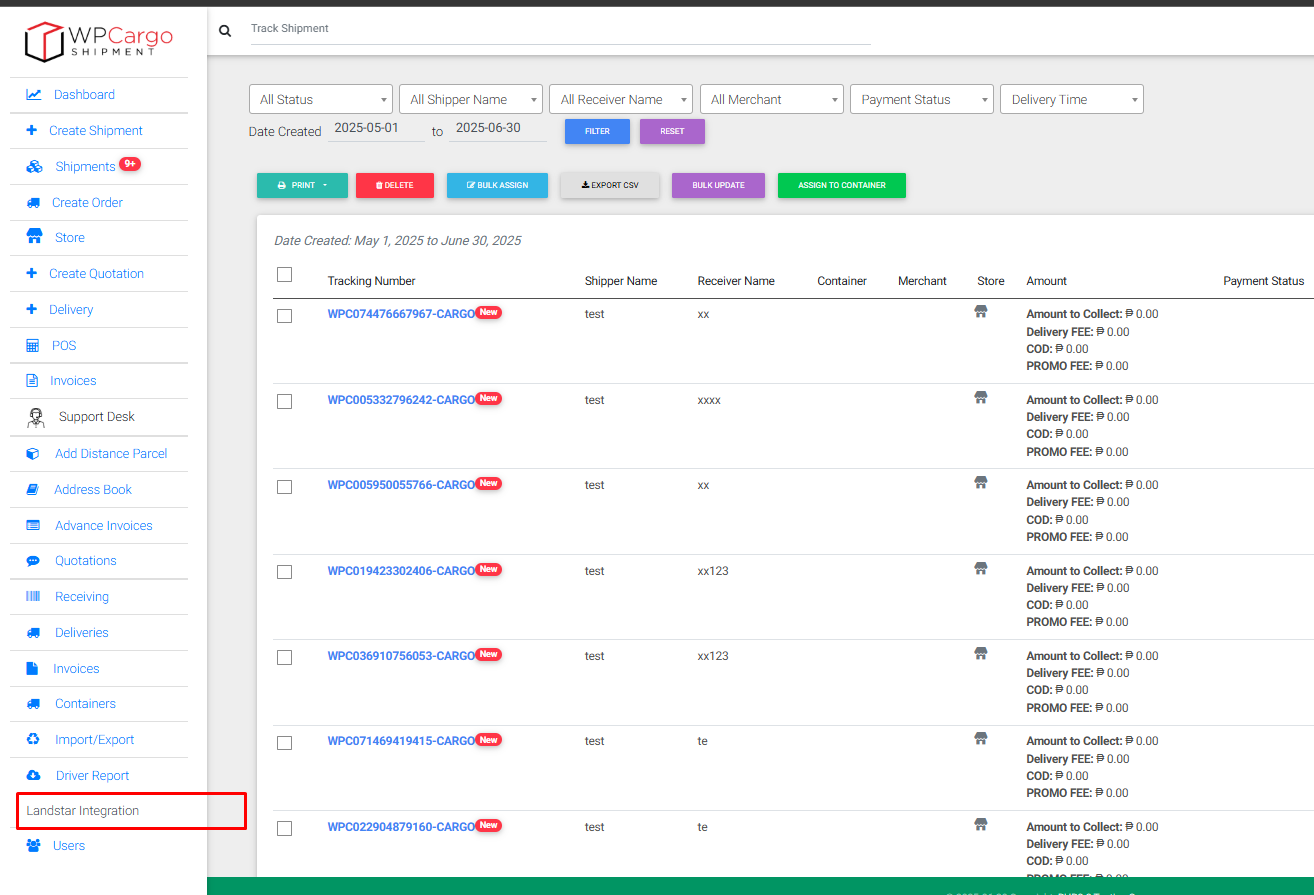
- Double check on the frontend Dashboard. Your Added page should now appear.
- Shortcode [ls_integ]
- This form is to fetch regular shipments from Landstar. Its Multileg features, will create shipment childs upon import, creating a single shipment for each leg

2. Shortcode [ls_integ_ltl]
- This form is used to import Landstar LTL Shipments into WPCargo Dashboard. Multileg shipments will directly mapped to LTL Legs along with carrier cost

Sample Multileg Shipment Imported

Sample LTL Imported






Reviews
There are no reviews yet.